Showing posts with label sculpting. Show all posts

Sunday, May 17, 2015

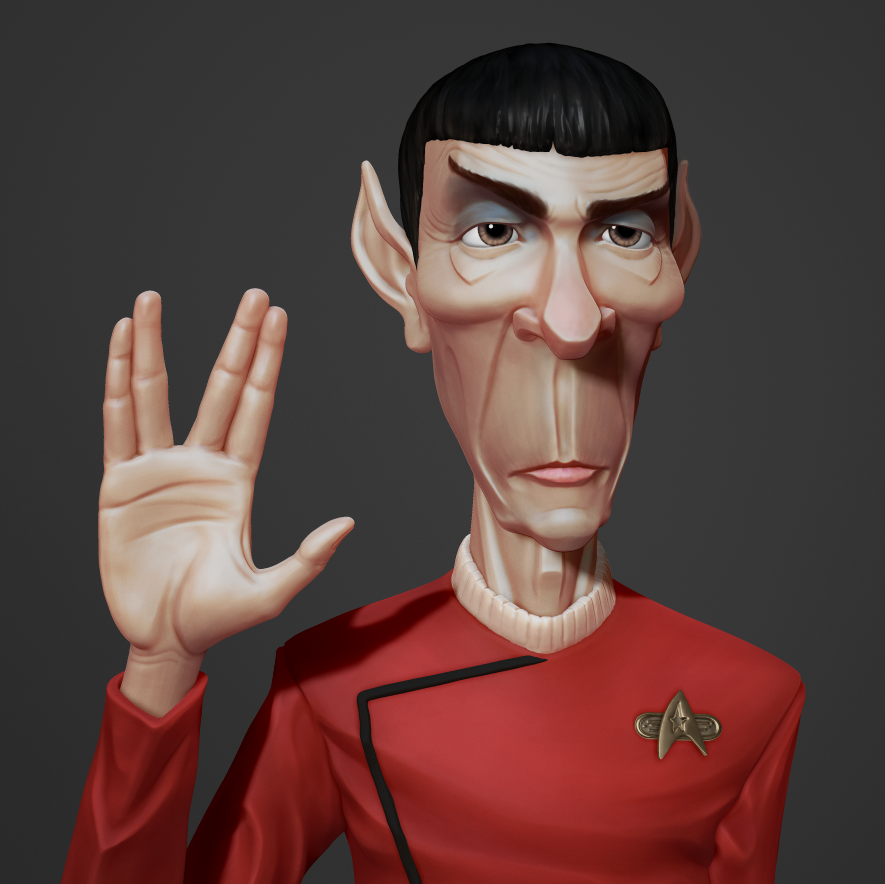
Farewell to Spock - caricature sculpt

"Space, the final frontier..."


Farewell to Spock from joe daniels on Vimeo.

I've been tinkering with this sculpt since I heard the sad news about the passing of Leonard Nimoy.  Star Trek was a staple at the Daniels household when I was growing up.  The TV shows, movies, books, the musical scores.  That show, its characters, and technology have inspired millions over the years, and I was no exception.  Spock, in particular, was a character I latched onto and looked up to, so it is odd to picture a world without the main who spoke that iconic parting phrase.

Farewell, Admiral Spock.  You will be missed.


Here are a few images:


Tuesday, June 03, 2014

Sculpting Tip: Order of Operations

Happy Tuesday, everybody!
Here's a quick tip I threw together for some students who have a speed sculpting facebook group.  So much of what I've learned about making compelling art comes down to Shape/Line, Underlying Form, and Rhythm.  I'm always trying to learn as much as I can, so hopefully you'll get something out of this.  Keep making art!


Extra resources:
Rad Sechrist -- http://radhowto.blogspot.com/2010/07/inmate-construction.html
Michael Defeo -- http://www.zbrushworkshops.com/tags/michael-defeo
Philippe Faraut -- https://www.youtube.com/watch?v=R1tH03sOhkU


Thursday, May 01, 2014

Water Spirit - speed sculpt

Here's a 45 minute speed sculpt, under the topic "Water Spirit".  I've been following a speed sculpting thread for a little bit and was excited to give this topic a whirl.  I'd love to come back to this and touch it up, but for a quickie, I'm happy with it.  Hope you enjoy!


"Water Spirit" - 45 min speed sculpt from joe daniels on Vimeo.


Here was my inspiration reference:

And for the water, I mostly used Bad King's splash insert mesh brush set:
http://www.badking.com.au/site/shop/organic-custom-brushes/splash-brush-set/

Tuesday, August 13, 2013

Dog Sculpt - ZBrush ZRemesh test

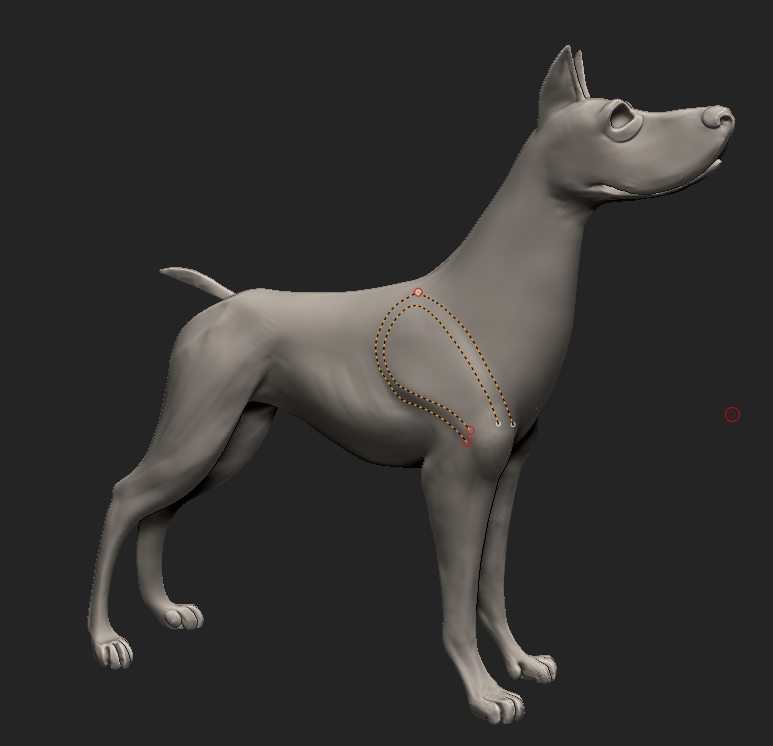
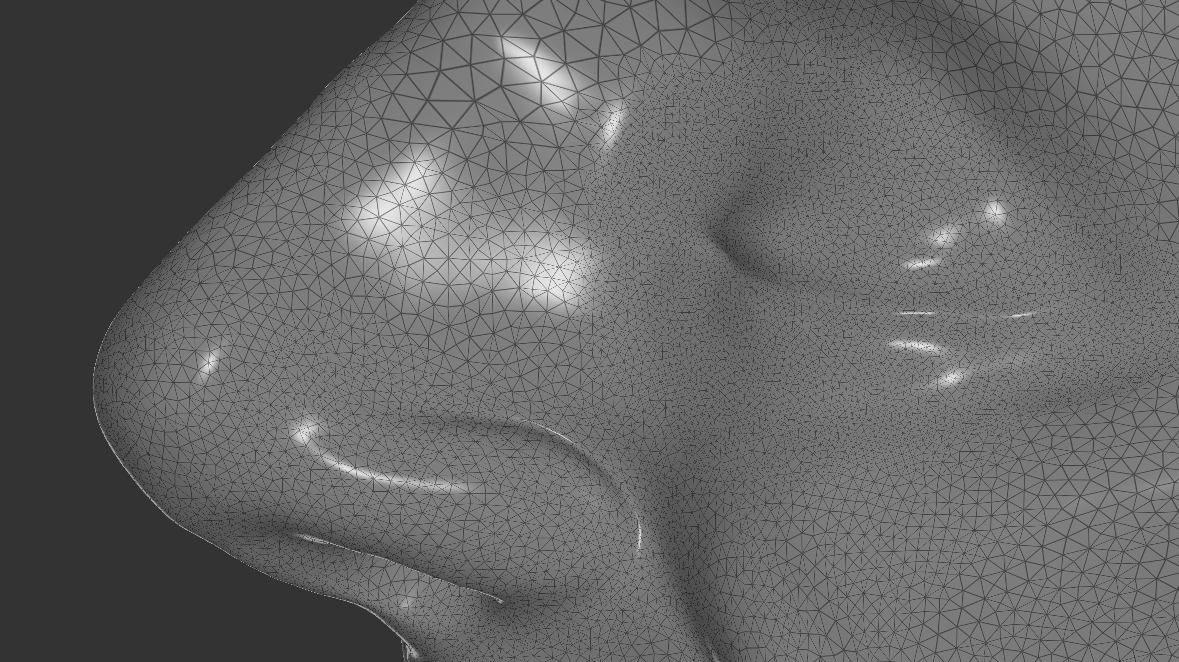
 I've had a dog sculpt sitting around that I wanted to test with ZBrush's new zremesher algorithm for automatic retopology.  Here is the sculpt and below is a comparison of the different outputs I was able to achieve within about half an hour of tweaking the settings.


I should point out that I only drew the guide curves below with the topology brush and let zremesher do all the rest.

Click for larger image.
Overall, from sculpt through zremeshing, this model took 2-3 hours.  The topology needs to be re-adjusted, but overall, I'm loving what zbrush spits out!

Friday, August 09, 2013

SculptGL - in browser sculpting?

A friend just tipped me off to this site that lets you sculpt in the browser (thanks, Bill!).  If you've used Sculptris, it's a lot like that. You can import and export .obj files, so you will be able to work with it in another program after the fact.  I love playing with new tech, and the dynamic tessellation, if you can get used to it, is a must have for low-fi sculpting like this, imho, and it can also be turned off.  It also supports wacom tablet pressure sensitivity.
How useful is this if you already have zbrush/mudbox? Silly question.  I refuse to answer.  Check out my test sculpt below:

(edit: I just replaced the first images with my second attempt at a sculpt using SculptGL)


And cleaning it up in ZBrush afterward:


Tips:
-Navigation can be a little odd, and you'll want to go with the hotkeys for switching tools and positive/negative brush pressure.  To move around you use the right mouse and scroll.  Arrow keys will also move you up/down/left/right.
-If you're using Chrome, hit F11 to go full screen.
-A nice feature is that sculpting all the way through the model creates a hole.

Monday, May 23, 2011

Blender sculpt doodles

Here are a couple sculpts I've made over the past couple weeks in Blender.  Even though it lacks the thorough tool set of programs like Zbrush, Blender has very capable sculpting tools.  The thing I like best about it is that it's a complete 3d package, so you can model and sculpt at the same time, in many ways making up for the lack of a few key tools.  Anyway, the first one is a bit more complete, about 2 hours.  The second head took about 45 minutes.  Fun stuff.

Here's a turnaround for the model above.

Thursday, April 07, 2011

iDough app: sculpting on my ipod touch

Every now and then I like to sculpt to just unwind.  My preferred package for digital sculpting at this point is Zbrush, but this past weekend I discovered a great app for sculpting on the go: iDough.  I imagine it would be best to work with on the iPad, but with my little iPod touch and a Pogo stylus, I was able to whip up these sculpts in half an hour or so of doodling.


The bottom left image is how the model looks when imported into Zbrush.  The bottom right is after remeshing the model and smoothing out a few rough spots, ready for retopology and further sculpting.

It allows you to export your models as .obj's so you can keep refining in whatever 3d package you like.  It certainly has its limitations, but it's far better than you might expect for sculpting on a mobile device.

If a developer is reading this, the green UI on a blue background clashes badly, which is why I color-corrected and played with the background here.  How about a dark grey gradient for the background and light grey icons for the inactive tools?  Any chance we'd see matcaps or the ability to place another light in coming versions?